YEAR 3

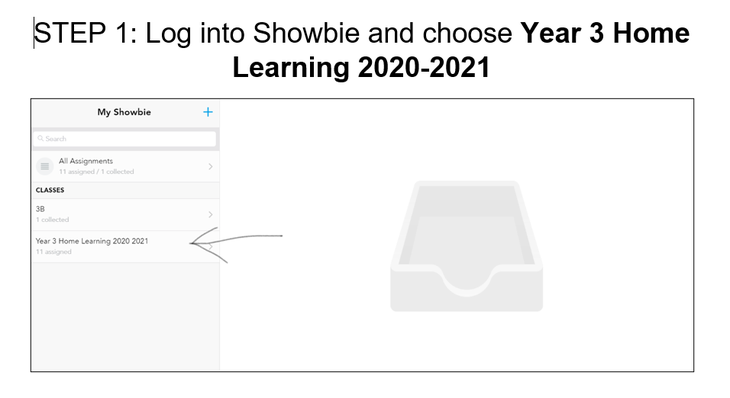
- Log into Showbie (click the green word to go there)
- Choose Year 3 Home Learning
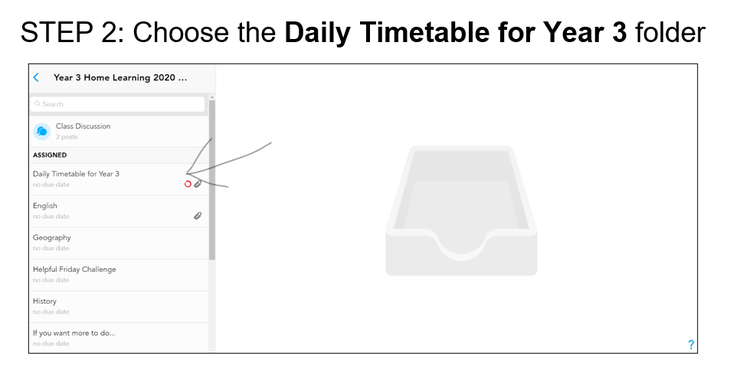
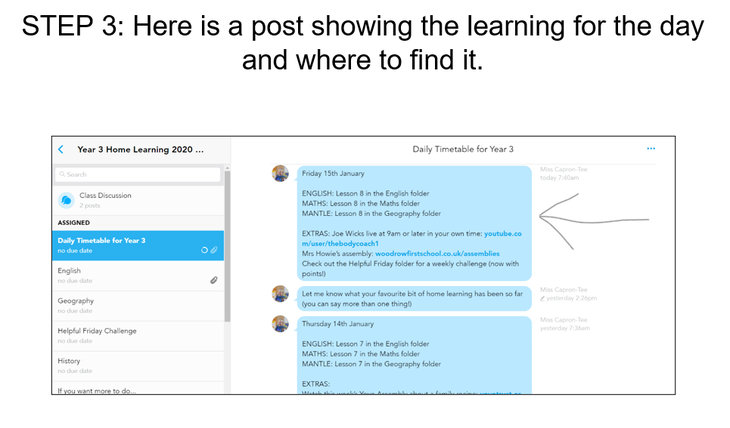
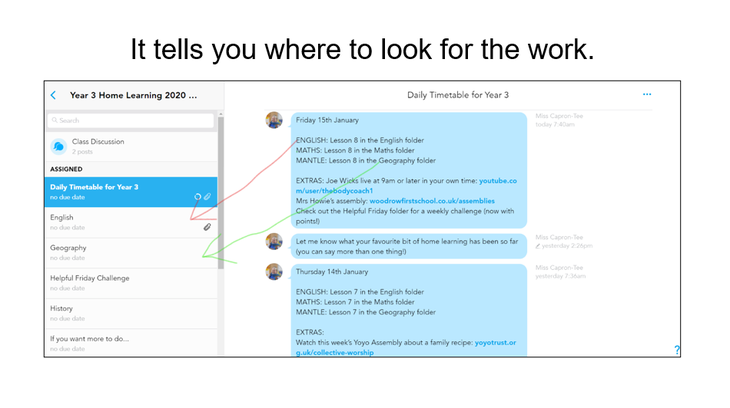
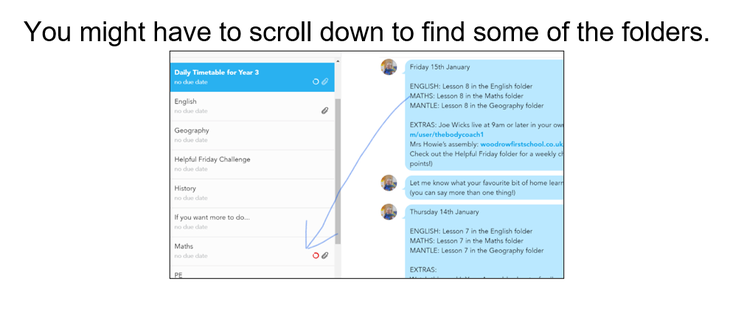
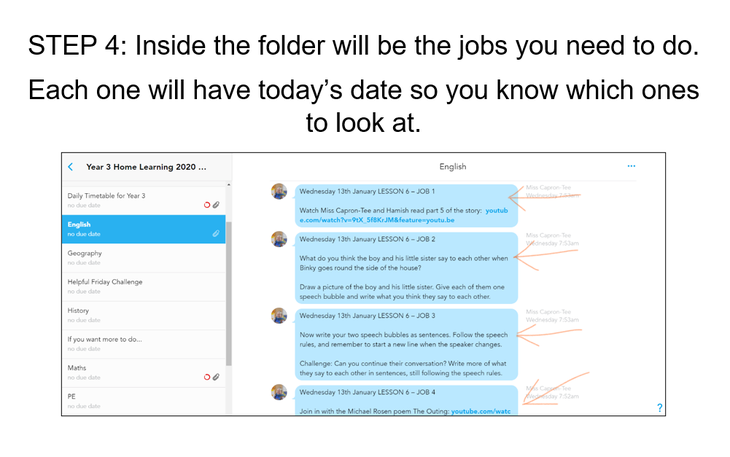
- Go to the Daily Timetable first to tell you where to find the work
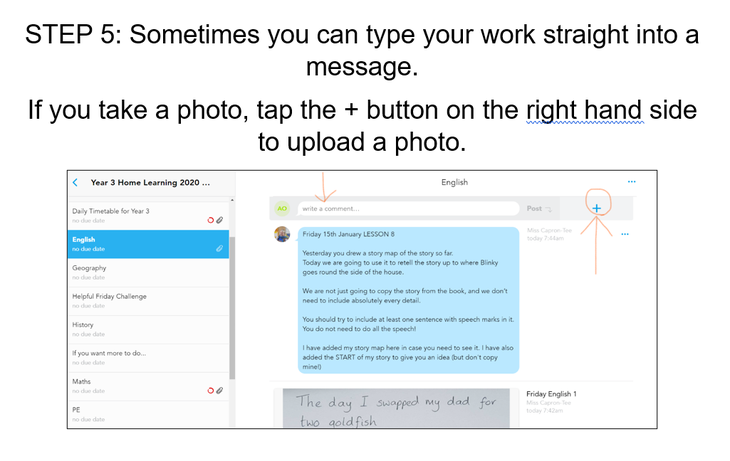
- You can work on paper and take a photo or you can often draw or write on the work on the screen
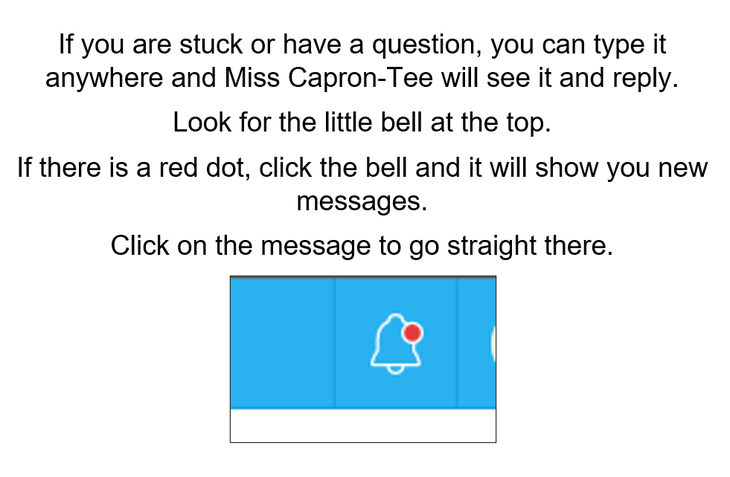
- Ask for help on Showbie if you need it
There is a Showbie Guide at the bottom of this page.
We are online all day to check work, give feedback and answer questions in Showbie.
Information for Parents
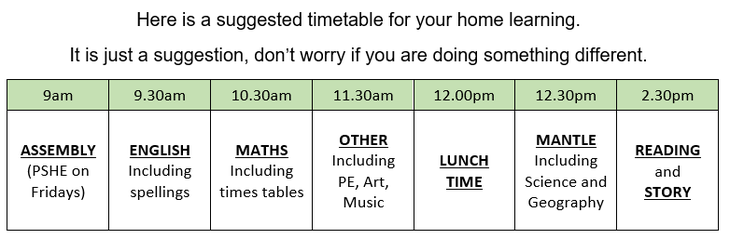
Extra spelling
- Spelling Shed
- Spell Zone (on the page, click the links to find word lists and games)
- Or choose from here: Top Marks
Extra times tables
- Maths Shed
- Hit the Button
- Times Tables Test Game (choose the tables with the settings)
- Mental Maths Train
- Times Tables.co.uk
- Or choose from here: Top Marks
Reading
- You can read your own books and magazines.
- Head to our Virtual Library for loads of online books.
Story Time
- There is a story time folder in Showbie.
- We have videos of stories made by school staff at StoryFlix
CBBC
- From 8.30am every day, CBBC are showing educational programmes all morning
- Check the schedules here and choose your day
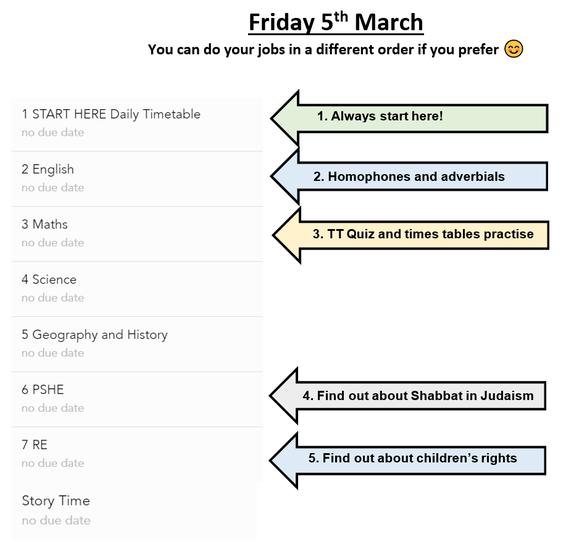
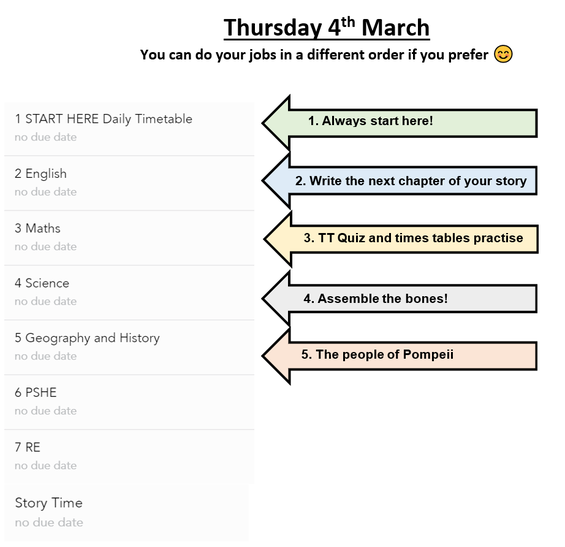
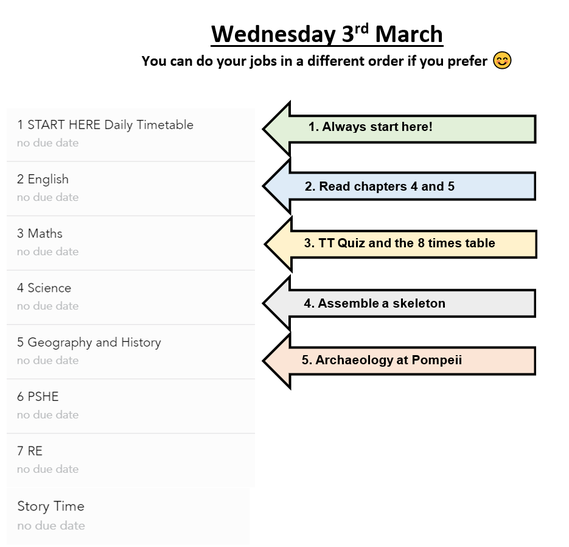
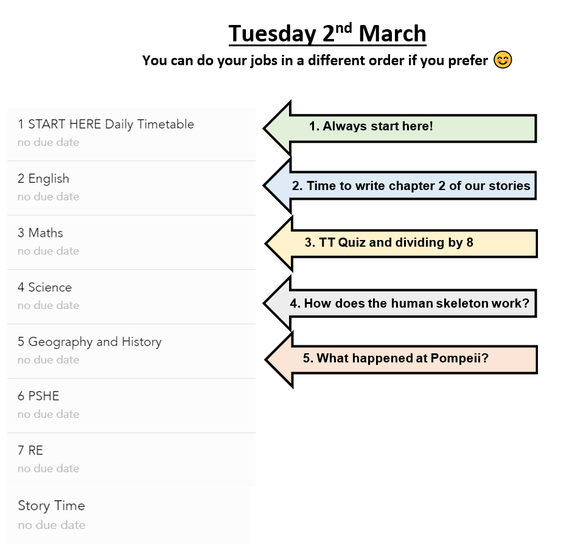
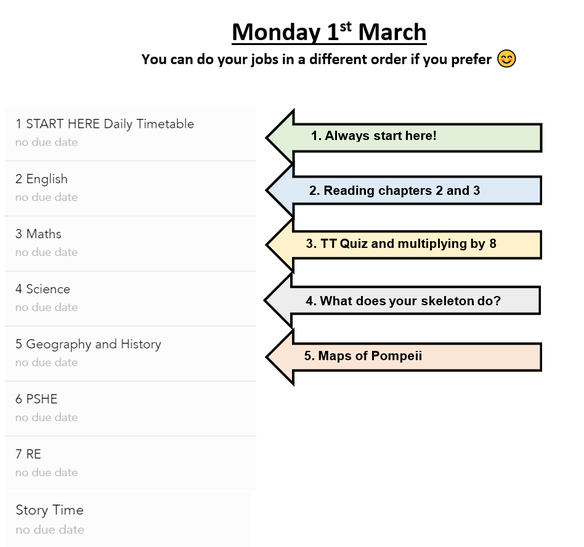
Previous Timetables
Showbie Guide
Mrs Howie's class will need to use the + button to add a new class with the code ZD97P to join the Home Learning Area